I have been able to flash and then connect with Espruino native IDE on windows 10, as it was really slow, i decided to disconnect unpair and re-pair. Unfortunately, I am unable to re-pair. I have tried to re-upload the firmware (tried the weather station first and it was working), it worked but I still can’t pair my windows 10 laptop with the Ruuvitag. Is there any way to perform a factory reset ?
The ruuvitag leds are blinking the following:
Both LEDs turn on and then the green led turns off followed by the red led, any idea of what this means ?
I tried another Ruuvitag, flashed it and it seems to work.
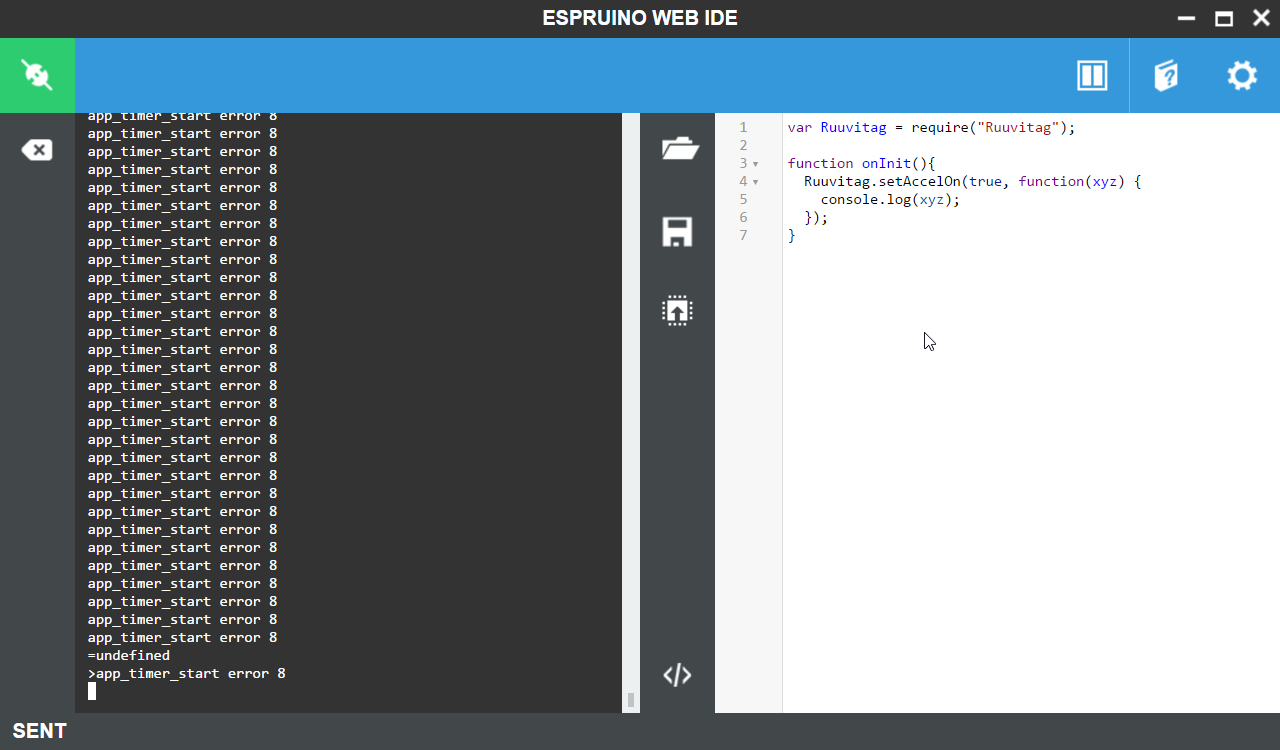
I have managed to re-upload the firmware by using another mobile device and it worked. I get the prompt however I keep having the “app_timer_start error 8” displayed on the prompt. Created another topic for that matter.
Do you mean Espruino command prompt?
Are you using Espruino 1.93?
Regarding the first tag, if red LED stays on on Ruuvi Firmware after inserting battery, you’re having a broken tag and we’ll replace it under warranty. If the red LED blinks , your tag is in RAW mode and working as it should.
I have a problem like you said. On my RuuviTag weather station, eddystone and Espruino 1.92 firmwares working without problem. But if I upload Espruino 1.93 to my RuuviTag it’s uploading %100 and done but after upload process red led stay on and RuuviTag not advertising. If I press reset button after this RuuviTag automatically go to DFU mode without pressing B button. Red led stays on everytime and RuuviTag stuck at DFU mode.
You need to give time for the bootloader to finish processing after uploading Espruino.
RuuviTag checksums whole program, and it takes some time on Espruino. If your weather station works, hardware itself is ok.
Try uploading Espruino and give it some time (30 sec - 2 minutes) to finish the update after DFU has disconnected. Red LED should turn off and Espruino should start advertising soon.
It happened on both my ruuvitag and once i disconnect them it is impossible to reconnect. Maybe it is coming from windows 10, I am gonna try on a raspberry pi 3 tomorrow.
After your reply I’m uploaded Espruino 1.93 to RuuviTag and waited ~15 min but red led still on and no advertising. I know I’m one of the first backer received RuuviTag. Maybe this information helps to solve problem.
I have reinstalled the firmware on my ruuvitag and finally managed to connect via raspberry pi 3 using bluez 5.43 and the online web IDE. It seems to work fine. However impossible to install the web IDE locally (it worked once and then failed).